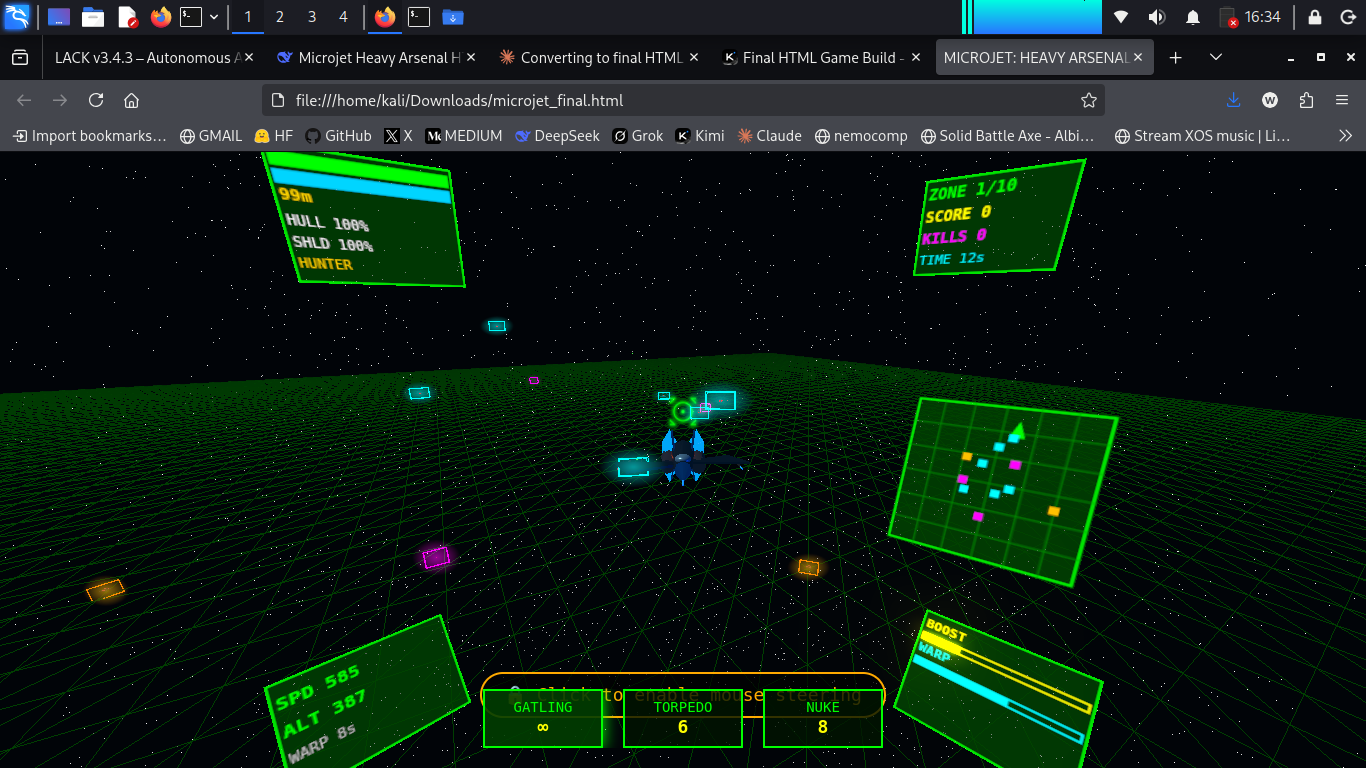
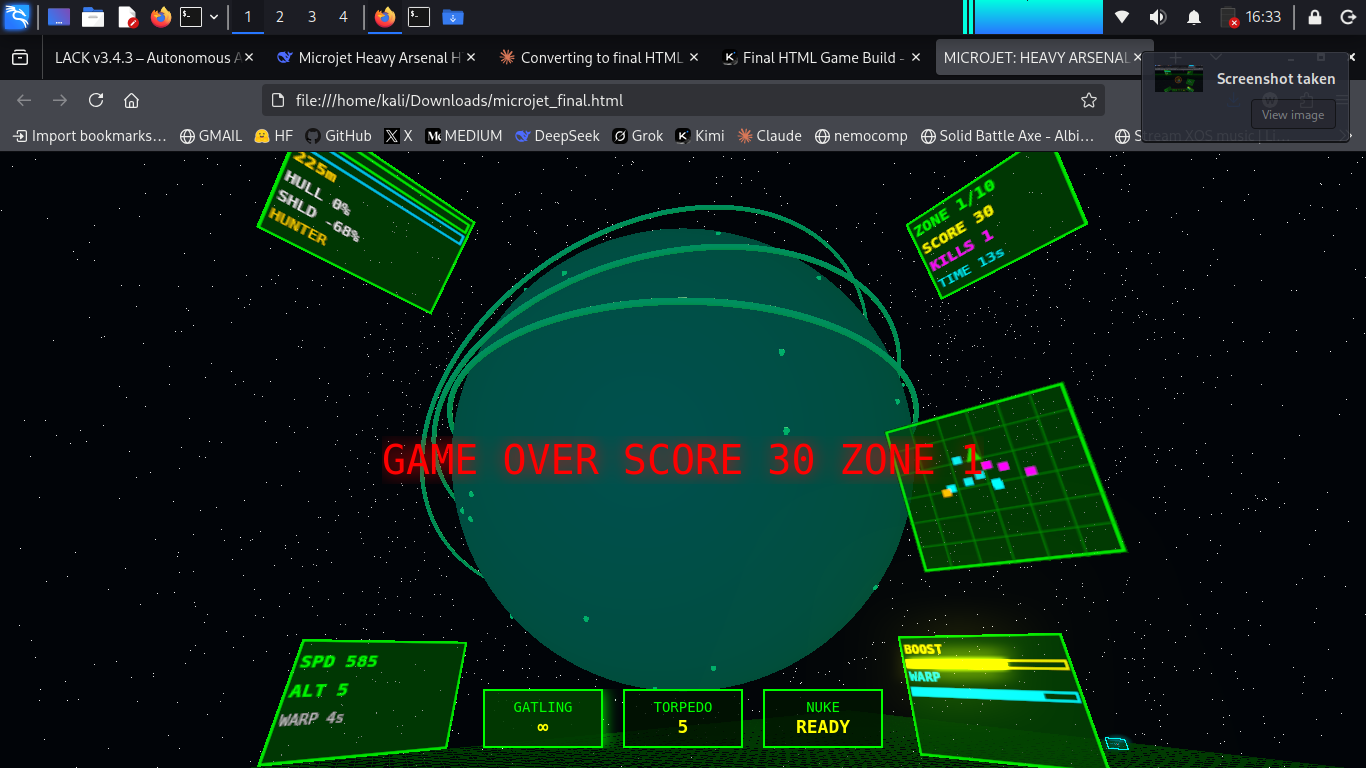
# MICROJET: HEAVY ARSENAL v9.1 – Flight Combat Simulator by webXOS 2026

**A high‑octane, 3D space combat game built with Three.js.**  

Fly a sleek fighter, destroy waves of enemy drones, tanks, gunships and bosses, and prove your skills across 10 increasingly dangerous zones.

## 🎮 Play Now

Just open the `index.html` file in any modern web browser (Chrome, Firefox, Edge, Safari).  

No installation, no plugins – pure JavaScript and WebGL.

> **Recommended:** Use a desktop PC with a mouse for the best flight‑sim experience.

---

## ✈️ Controls (Flight‑Sim Style)

| Action               | Input                     |

|----------------------|---------------------------|

| **Aim / Steer**       | Mouse (move the cursor – pointer lock automatically activates) |

| **Throttle Up**       | `W` or `↑`                |

| **Throttle Down**     | `S` or `↓`                |

| **Roll Left/Right**   | `A` / `D`                 |

| **Strafe Left/Right** | `Q` / `E`                 |

| **Boost**             | `SHIFT` (consumes boost energy) |

| **Gatling Gun**       | Hold `LMB` or `SPACE`     |

| **Homing Missile**    | `RMB` or `R` (limited ammo) |

| **Smart Nuke**        | `N` (charges over time)   |

| **180° Flip**         | `C`                       |

| **Mouse Sensitivity** | Adjust via slider (bottom‑left) |

| **Immortal Mode**     | Toggle on start screen    |

> **Note:** Click anywhere on the game canvas to lock the mouse pointer (required for flight controls). Press `ESC` to release the pointer if needed.

---

## 🌌 Game Features

- **10 Combat Zones** – Each zone has unique planet visuals, fog, lighting, and enemy compositions.

- **5 Enemy Types**  

  - *Hunter* – agile pursuit drone  

  - *Kamikaze* – fast, explosive rammer  

  - *Tank* – heavy ground unit with cannon  

  - *Gunship* – helicopter‑like strafer  

  - *Boss* – massive health pool, rapid fire (appears at zones 5, 8, 10)

- **Weapons**  

  - Gatling (infinite ammo, rapid fire)  

  - Homing Missiles (6 base, replenished between zones)  

  - Smart Nuke (large AoE, recharges by scoring kills)

- **Flight Dynamics**  

  - Throttle‑based speed control  

  - Boost for short bursts  

  - Fly in full 3D space (pitch, yaw, roll)  

  - Flight Assist (auto‑level) to prevent disorientation

- **Progressive Difficulty** – More enemies, tougher variants, and bosses as you advance.

- **Performance Optimized** – Runs at 60 FPS on 4GB systems (low‑poly models, shadow maps disabled, constrained particle count).

---

## 🖥️ System Requirements

- **OS:** Windows / macOS / Linux (any with a modern browser)

- **Browser:** Chrome 90+, Firefox 88+, Edge 90+, Safari 15+ (WebGL 1.0 required)

- **RAM:** 4GB (tested) – 2GB may work with reduced settings.

- **Graphics:** Integrated GPU (Intel HD 4000 or better) – WebGL accelerated.

- **Input:** Mouse + keyboard.

---

## 🕹️ How to Play

1. Start the game from the intro screen by clicking **"ENGAGE FLIGHT"**.

2. Your ship spawns in Zone 1. Use the mouse to look around – the ship rotates in the direction of the mouse.

3. Destroy all enemies in the zone to advance. Each cleared zone rewards bonus points and refills 2 missiles.

4. Manage your **boost energy** (recharges when not boosting) and **shield** (auto‑regen).

5. Watch the **target‑lock ring** (red pulsing circle) – it appears when an enemy is inside your central aiming cone.

6. Use **missiles** to quickly eliminate tough enemies, and the **nuke** to clear a cluster when surrounded.

7. Complete all 10 zones to win the game. Your final score is displayed on the death/victory screen.

---
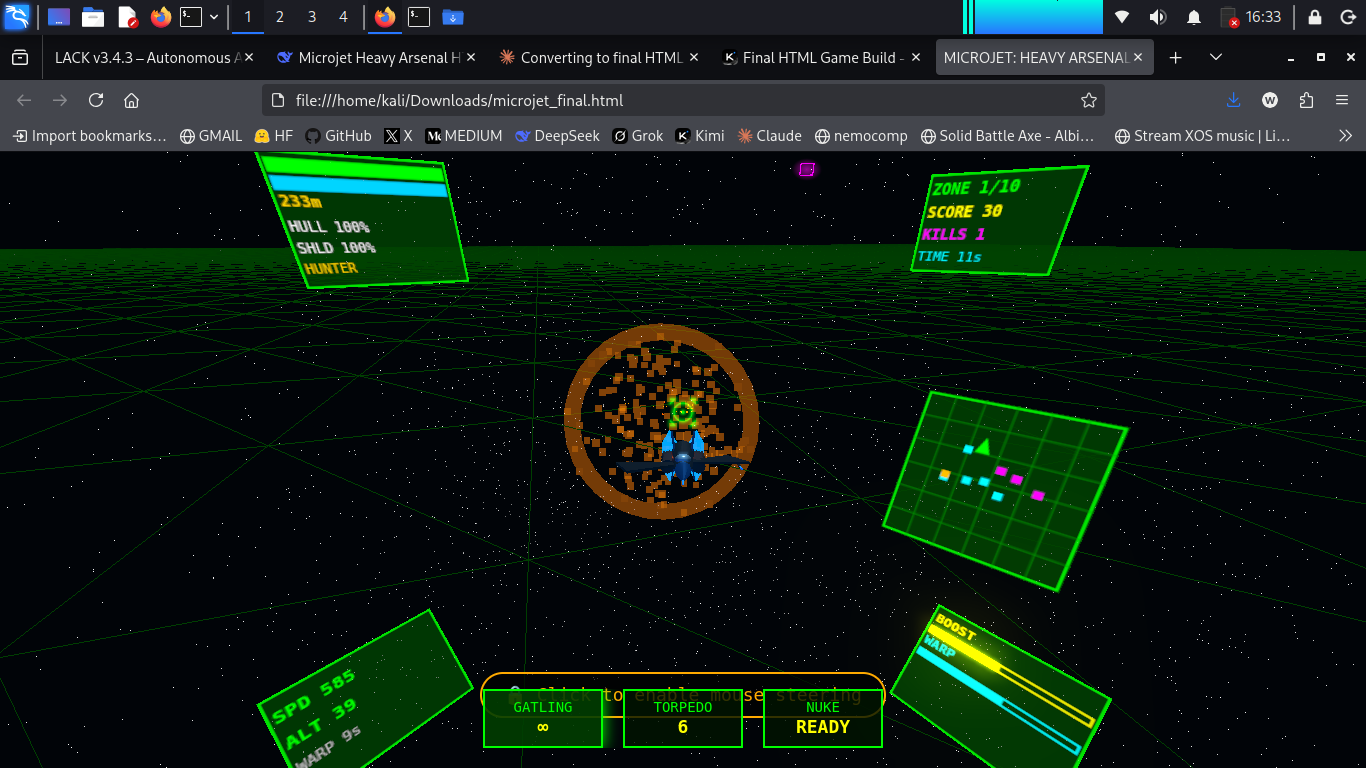
## 🧩 HUD Elements

| Element               | Description                                 |

|-----------------------|---------------------------------------------|

| **SCORE**             | Total points earned.                        |

| **SHIELD**            | Absorbs damage. Regenerates slowly.        |

| **KILLS**             | Number of enemies destroyed.               |

| **ZONE**              | Current zone (1–10).                       |

| **ZONE TIME**         | Time spent in the current zone.            |

| **THRUST**            | Throttle percentage (0–100%).              |

| **SPEED**             | Current forward speed (m/s).               |

| **BOOST**             | Boost energy (recharges when not boosting).|

| **Ammo counters**     | Remaining missiles, nuke readiness.        |

---

## 🛠️ Customisation

- **Mouse Sensitivity Slider** – Located at the bottom‑left corner. Adjust from 0.0003 (very low) to 0.0018 (high). Default is 0.00065 for smooth, non‑extreme control.

- **Immortal Mode** – Can be enabled on the start screen for practice (takes no damage).

- **Invert Y‑Axis** – Not included in this version, but can be added by modifying the script (search for `invertY` variable).

---

## 💡 Tips for New Players

- **Don’t hold throttle at 100%** – you’ll overshoot enemies. Use **40–70%** for dogfighting.

- **Boost only when escaping or chasing** – it drains energy quickly.

- **Missiles home** – fire them at enemies that are roughly in front of you (highlighted by the red target ring).

- **Nuke** charges faster by scoring kills – use it when surrounded by 5+ enemies.

- **Bosses** have predictable patterns: they fire volleys of projectiles. Strafe sideways and use missiles.

- If the game feels too sensitive, **lower the sensitivity slider** to `0.0005` or even `0.0004`.

---

## 🐛 Troubleshooting

| Problem                                  | Solution                                 |

|------------------------------------------|------------------------------------------|

| Mouse doesn’t control the ship           | Click the canvas to lock the pointer.    |

| Pointer lock not working                 | Ensure you’re not in an iframe; try fullscreen (F11). |

| Low frame rate                           | Close other tabs; reduce bloom strength (modify `bloom.strength` in code). |

| Enemies not spawning                     | Refresh the page; check browser console for errors. |

| Nuke button doesn’t respond              | Wait for the “READY” text (it takes ~7 seconds after each use). |

---

## 📁 File Structure

If you downloaded the standalone HTML file, no extra files are needed. The game is self‑contained (CSS, JS, Three.js via CDN).  

For offline play, ensure you have an internet connection the first time (to fetch Three.js libraries).

---

**Version:** 9.1  

**Last updated:** 2026‑04‑23

Updated 5 days ago
Published 16 days ago
StatusReleased
PlatformsHTML5
AuthorwebXOS
GenreAction
Tags3D, airplane, Flight, jet, threejs
AI DisclosureAI Assisted, Code, Graphics, Sounds, Text

Leave a comment

Log in with itch.io to leave a comment.